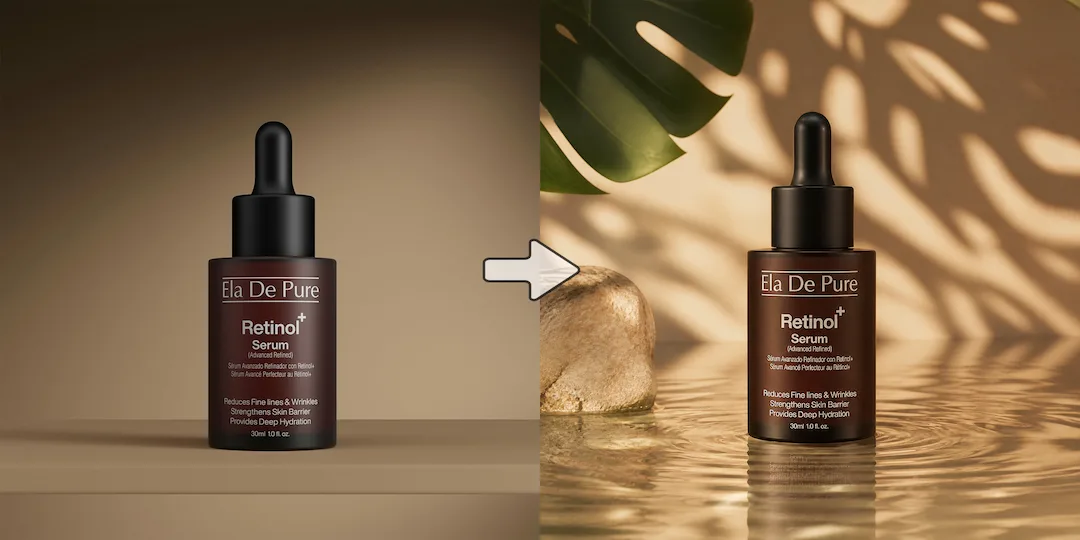
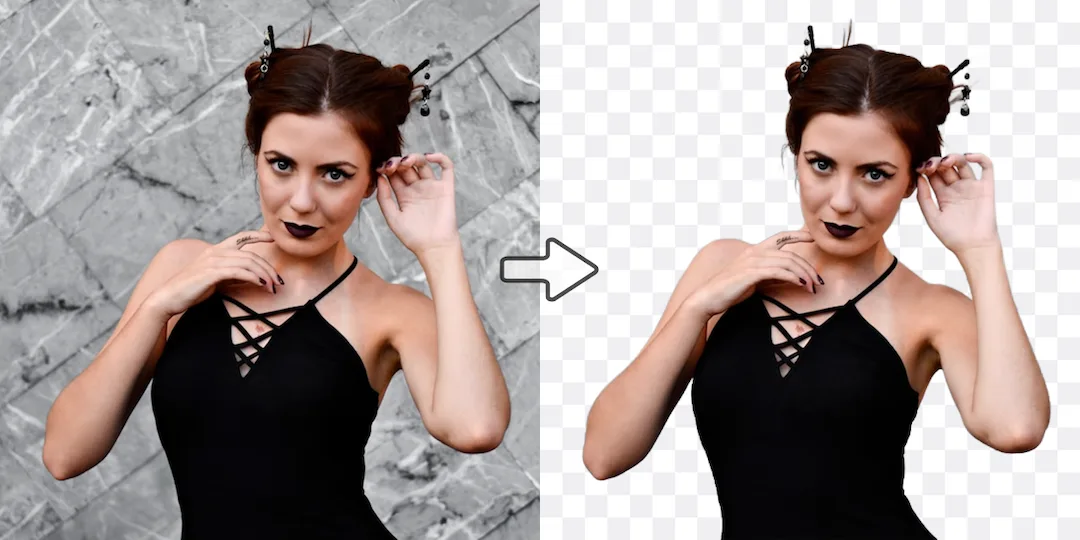
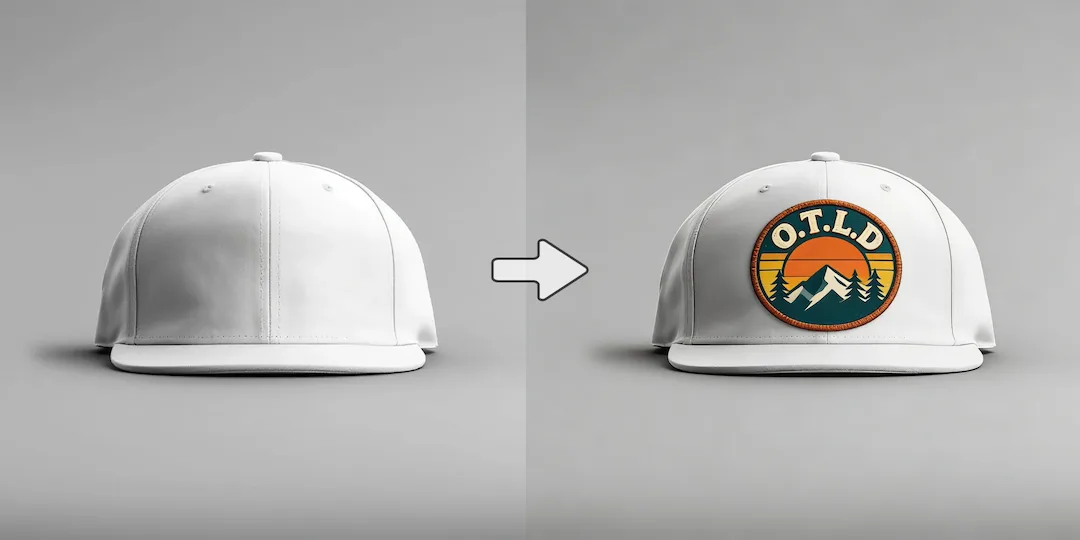
Use Vizlook for post-enhancement creation
Choose Vizlook when the image still needs scene work, generation, creative edits, or reuse in marketing and ecommerce after quality improvement.

AI Photo Comparison
Vizlook is built for fashion and ecommerce teams that need faster, repeatable AI photo production. It turns one product image into model photos, product scenes, clean packshots, and campaign creatives with less cost and less tool switching. Remini is well known for sharpening blurry photos, restoring old images, and improving detail. Vizlook is often the better option when your workflow includes not just enhancement, but also generation, creative edits, and practical asset creation.
Decision guide
Choose Vizlook when the image still needs scene work, generation, creative edits, or reuse in marketing and ecommerce after quality improvement.
Choose Remini when all you need is fast enhancement, restoration, denoise, enlargement, or quality recovery for an existing photo or video.
Users often start with Remini for restoration, then look elsewhere when they realize the workflow still continues after the photo is fixed.
Full comparison
Remini is focused and effective when enhancement is the main goal. Vizlook becomes stronger when the work continues after the fix and needs to turn into product imagery, campaign assets, or practical visual output.
Vizlook is built for continuing the workflow after enhancement into generation, scene creation, and final asset production.
Remini is primarily focused on enhancement, restoration, and quality recovery for existing visuals.
Vizlook can improve a weak source image and then keep turning it into a usable campaign, content, or product asset.
Remini is stronger when your main need is simply to sharpen, restore, or clean up an existing photo or video.
Vizlook makes more sense when enhancement is just one stage before new scenes, variants, or marketing visuals are created.
Remini is more specialized around quality improvement than around broader creative production.
Better for marketers, ecommerce teams, and creators who need enhanced visuals plus new asset creation.
Better for users restoring old photos, fixing blur, and finishing the job at enhancement.
Why users switch
Remini is good at what it does. The reason users search for alternatives is usually that they need the workflow to continue after the enhancement step into product, campaign, or branded asset creation.
A sharper photo is useful, but many projects also need compositing, creative changes, scene building, or brand-ready output after the fix.
Some users prefer a single tool that can improve an image and also help them turn it into something new and usable.
Vizlook is better aligned with teams that produce ongoing visuals rather than occasional restorations.
Use cases
Remini is a strong option if your main priority is improving old, blurry, noisy, or low-quality photos and videos.
Vizlook is better when you want to generate, improve, and iterate within one broader image process that leads to a final commercial asset.
If the end goal is a finished asset for marketing or ecommerce, Vizlook is generally more flexible.
Why Vizlook wins
Vizlook helps users move beyond enhancement into full visual production.
That matters when the image needs to support campaigns, social content, product storytelling, or refreshed PDP imagery.
Users can keep working after the first cleanup step instead of switching tools.
Teams that work with images regularly often need more than restoration alone.
Try it yourself
If you are comparing Vizlook and Remini, start with the real task. If you only need enhancement, a specialist may be enough. If the image still needs creative work after that, Vizlook usually makes more sense.
Try Vizlook FreeFAQ
Yes. Remini is strong for sharpening and restoration, while Vizlook is better when the workflow includes enhancement plus creation, editing, and asset production.
Remini is usually the stronger option if your main goal is restoring old or blurry photos quickly and with minimal extra steps.
Vizlook is often the better fit because it supports more than enhancement and is better suited to practical asset production after the image has been improved.
The main reason is scope. Some users want one tool that can improve an image and also help turn it into a finished creative asset.
Yes, but its value is broader than that. Vizlook is useful when image quality improvement is only one part of a larger visual workflow.
Vizlook is a strong choice if you want enhancement plus generation, editing, and a more complete path to finished visual assets.
More comparisons
Best for teams choosing between Midjourney concept art and Vizlook's faster workflow for product photos, ads, and launch visuals.
Compare Gemini's assistant-style image help with Vizlook's dedicated workflow for repeatable ecommerce and marketing visuals.
See whether a general AI assistant or an image-first workflow is better for campaign creatives, product pages, and repeat visual output.
Best for teams comparing Canva's design suite with Vizlook's image-first workflow for source assets, product photos, and campaign visuals.
Compare Photoroom's seller-focused editing and listing workflow with Vizlook's broader AI photo workflow for models, scenes, packshots, and campaign assets.
Compare Claid's product-photo enhancement and API workflow with Vizlook's image-first workflow for model photos, product scenes, and launch-ready visuals.
Best for sellers comparing a utility-heavy editor with a full product photo workflow for cleanup, scenes, packshots, and promo assets.
Compare Photo AI's training-heavy portrait workflow with Vizlook's faster path to headshots, creator photos, and brand-ready portraits.
See when a free image generator is enough and when Vizlook is better for reliable product visuals, ads, and repeat commercial work.
Compare Stable Diffusion's open model freedom with Vizlook's faster workflow for non-technical teams shipping ecommerce and campaign assets.
Best for teams deciding between model-first Flux workflows and Vizlook's faster route to product imagery, launch assets, and ad creatives.
Compare Claude for briefs and thinking with Vizlook for image production when the final deliverable is a campaign or product visual.
Compare OpenArt's exploration-heavy creator platform with Vizlook's cleaner workflow for product images, ads, and practical brand visuals.
More tools