Use Vizlook for Fashion & Campaigns
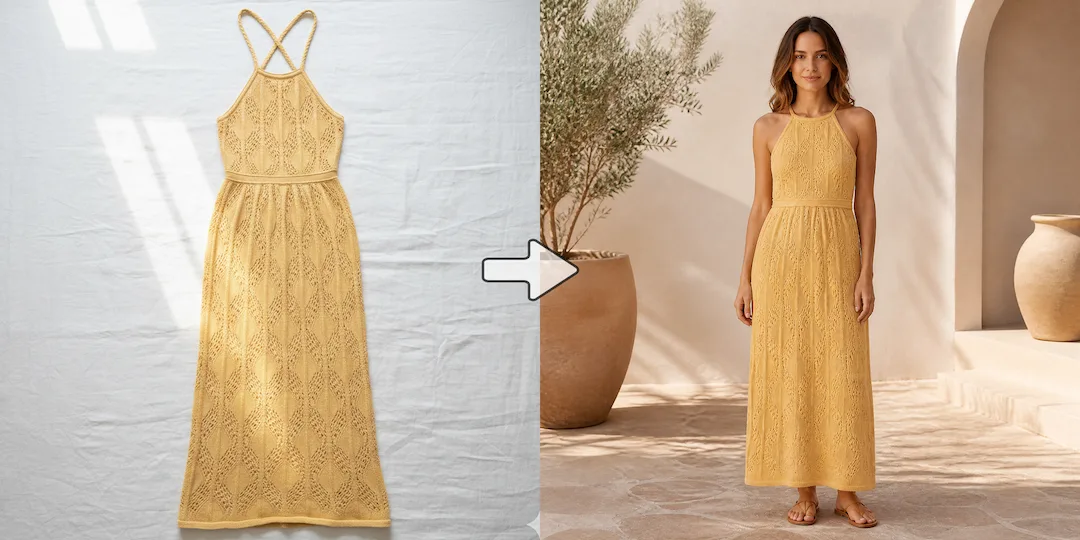
Choose Vizlook when you need to turn flat lays into on-model photos, generate diverse AI fashion models, or create lifestyle scenes for your brand's website and social media.

Apparel & Product Photography
Photoroom is a popular tool for basic background removal and simple marketplace listings. But when fashion and ecommerce teams need to turn ghost mannequins into realistic human models, or stage products in campaign-ready scenes, Vizlook provides a dedicated workflow.
Decision guide
Choose Vizlook when you need to turn flat lays into on-model photos, generate diverse AI fashion models, or create lifestyle scenes for your brand's website and social media.
Choose Photoroom when your primary need is removing backgrounds in bulk for standard Amazon or eBay product catalogs.
Brands switch to Vizlook when they outgrow simple cutouts and realize they need a tool that can actually generate the human model wearing the clothing, saving thousands on studio fees.
Full comparison
The choice between Photoroom and Vizlook comes down to whether you are cleaning up an existing photo or generating an entirely new visual asset.
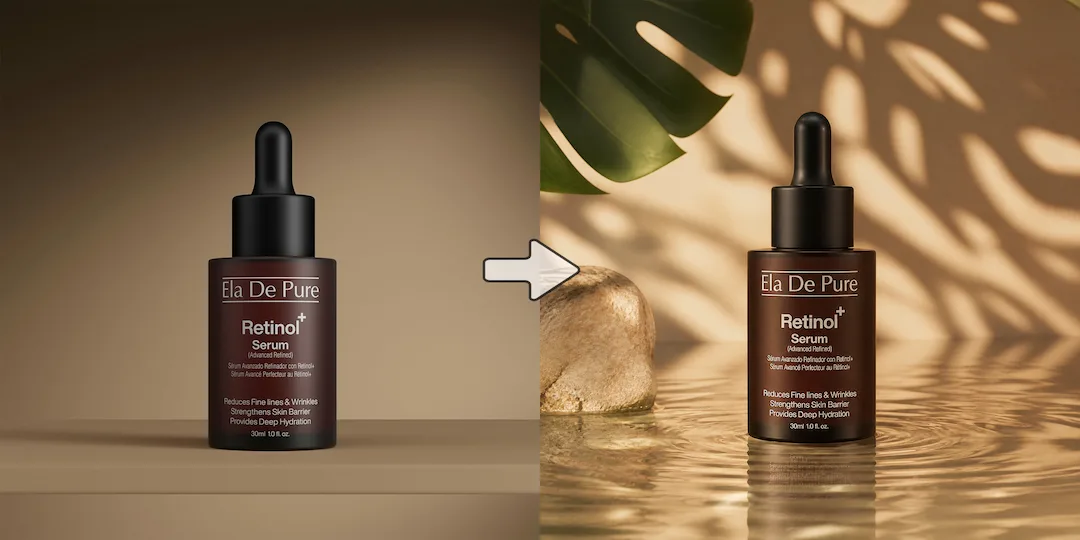
Generating realistic AI fashion models and lifestyle product staging from simple source images.
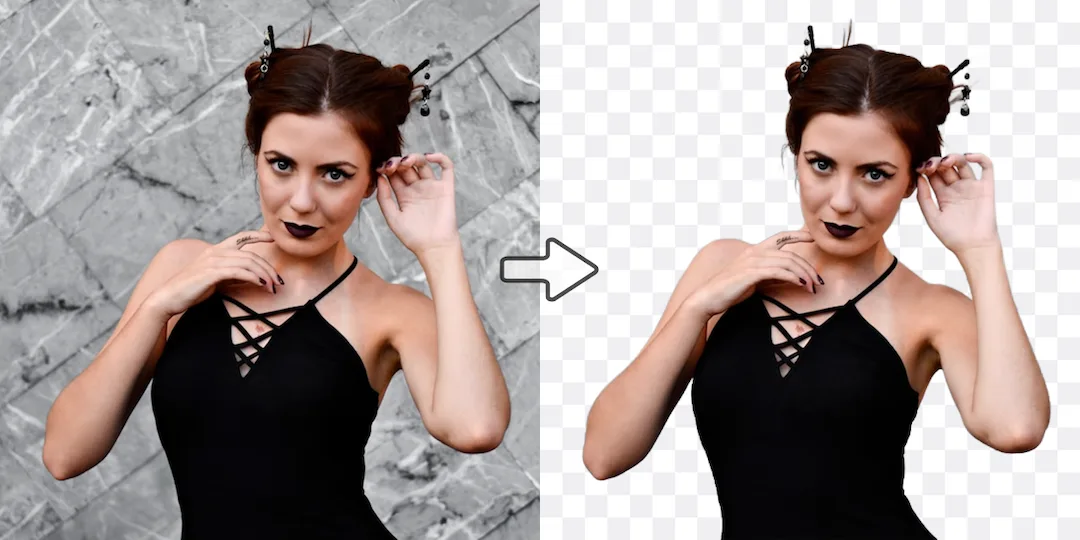
Removing backgrounds and adding simple solid colors or basic shadows.
Turns ghost mannequins and flat lays into realistic on-model photos.
Cuts out the clothing to place on a white background.
Fashion brands, DTC ecommerce teams, and marketing agencies.
Individual resellers, small marketplace sellers, and casual users.
Why users switch
Photoroom is one of the best-known ecommerce image tools, especially for background removal and seller workflows. But some brands eventually need more than listing prep. They need a system that can create new visual directions from the same product source.
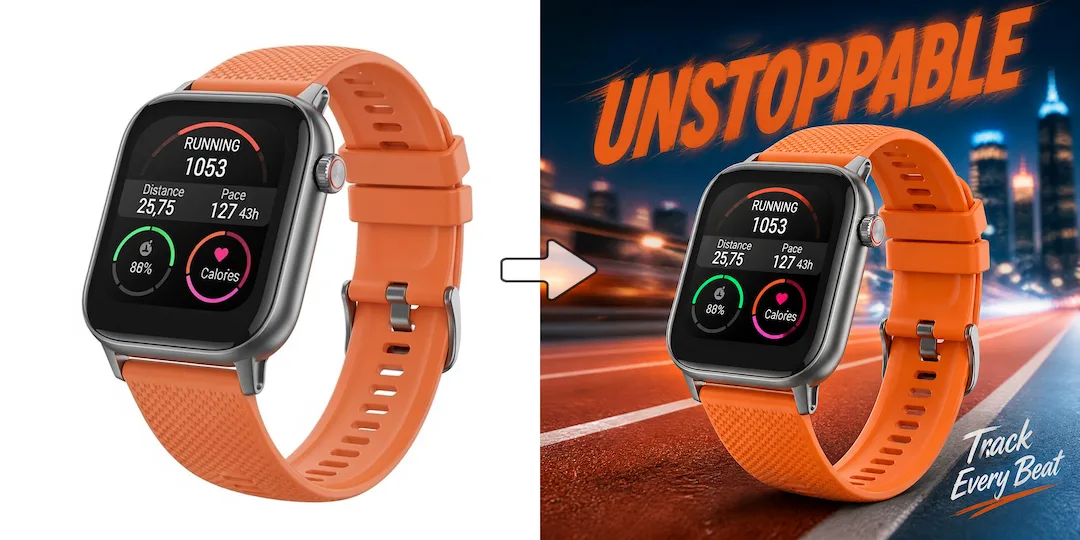
Removing backgrounds and polishing a product shot solves one part of ecommerce work. Growth teams often need scenes, model imagery, hero banners, and ad-ready variants too.
As brands scale, the job expands from catalog images to PDP hero visuals, paid social creative, and branded launch assets. That is where Vizlook's broader workflow becomes more useful.
A common pain point is starting in one tool for cleanup, then moving elsewhere for generation, scene creation, or marketing visuals. Vizlook reduces that handoff.
Use cases
Photoroom is a strong match for marketplace sellers, catalog teams, and operators who mainly need clean backgrounds, listing speed, and consistent ecommerce presentation.
Vizlook is stronger when the team needs scenes, posters, fashion imagery, or launch assets built from the same product source image.
Vizlook is also the better fit when static product photos need to become on-model imagery, styled brand visuals, or higher-variance creative tests.
Photoroom makes sense when throughput, batch handling, and everyday seller efficiency matter more than building broader campaign assets.
Why Vizlook wins
Vizlook is designed to create multiple kinds of commercial visuals from the same source instead of stopping at cleanup and listing prep.
That matters for apparel brands that need AI fashion models, product staging, and campaign-ready imagery in the same system.
Vizlook is easier to justify when the image workflow is shared between ecommerce, paid social, email, and launch content teams.
Teams often prefer a workflow that can keep going after cleanup instead of forcing them into the next tool for every creative expansion step.
Try it yourself
If you are deciding between Vizlook and Photoroom, start with the real output you need. If the job is mostly cleaning and publishing listings, Photoroom can be enough. If the same product image also needs to become scenes, ads, fashion visuals, and campaign assets, Vizlook is the stronger fit.
Try Vizlook FreeFAQ
Yes. Vizlook is a strong alternative when your team needs more than cleanup and listing prep and wants a broader AI photo workflow for scenes, model imagery, packshots, and campaign assets.
Photoroom is often the better fit when the main job is removing backgrounds, polishing product photos, and preparing listing-ready visuals quickly.
Vizlook is usually the better choice for AI fashion models, on-model apparel images, and styled brand visuals built from a product image.
For many teams, yes. Vizlook is more aligned with campaign visuals, product scenes, hero images, and marketing assets that go beyond standard listing optimization.
Choose Photoroom when catalog cleanup, white-background consistency, mobile editing, and batch seller workflows are the main priorities.
Vizlook is a strong next step if you want the same source image to power ecommerce, growth, and campaign workflows instead of just listing preparation.
More comparisons
Best for teams choosing between Midjourney concept art and Vizlook's faster workflow for product photos, ads, and launch visuals.
Compare Gemini's assistant-style image help with Vizlook's dedicated workflow for repeatable ecommerce and marketing visuals.
See whether a general AI assistant or an image-first workflow is better for campaign creatives, product pages, and repeat visual output.
Best for teams comparing Canva's design suite with Vizlook's image-first workflow for source assets, product photos, and campaign visuals.
Compare Claid's product-photo enhancement and API workflow with Vizlook's image-first workflow for model photos, product scenes, and launch-ready visuals.
Best for sellers comparing a utility-heavy editor with a full product photo workflow for cleanup, scenes, packshots, and promo assets.
Compare Photo AI's training-heavy portrait workflow with Vizlook's faster path to headshots, creator photos, and brand-ready portraits.
See when a free image generator is enough and when Vizlook is better for reliable product visuals, ads, and repeat commercial work.
Compare Stable Diffusion's open model freedom with Vizlook's faster workflow for non-technical teams shipping ecommerce and campaign assets.
Best for teams deciding between model-first Flux workflows and Vizlook's faster route to product imagery, launch assets, and ad creatives.
Compare Claude for briefs and thinking with Vizlook for image production when the final deliverable is a campaign or product visual.
See when Remini is enough for enhancement and when Vizlook is better for turning repaired images into ecommerce and campaign assets.
Compare OpenArt's exploration-heavy creator platform with Vizlook's cleaner workflow for product images, ads, and practical brand visuals.
More tools